
Generate and manage API keys
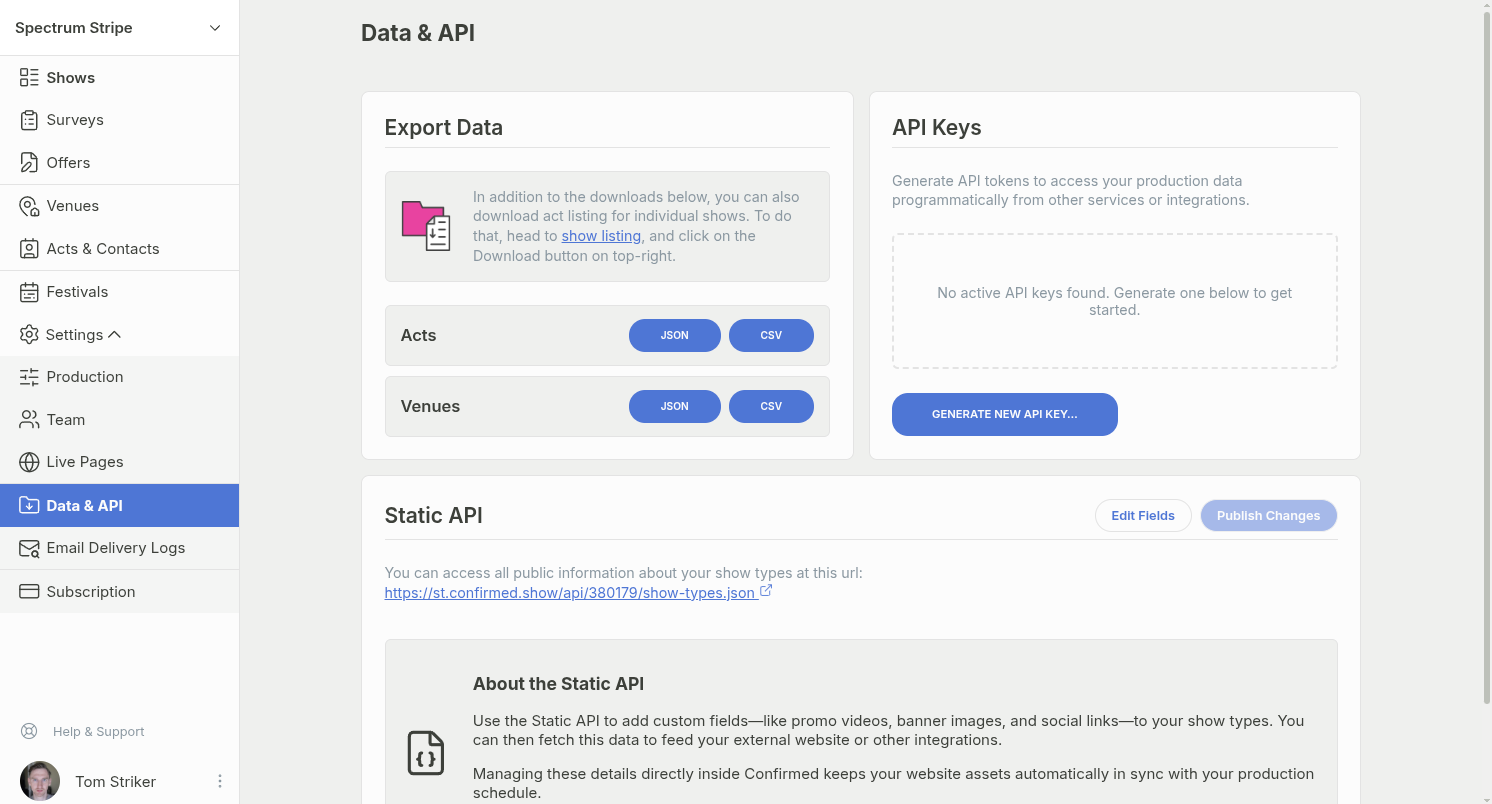
Create, copy, and delete API keys for a production from the Data & API page.
Key types
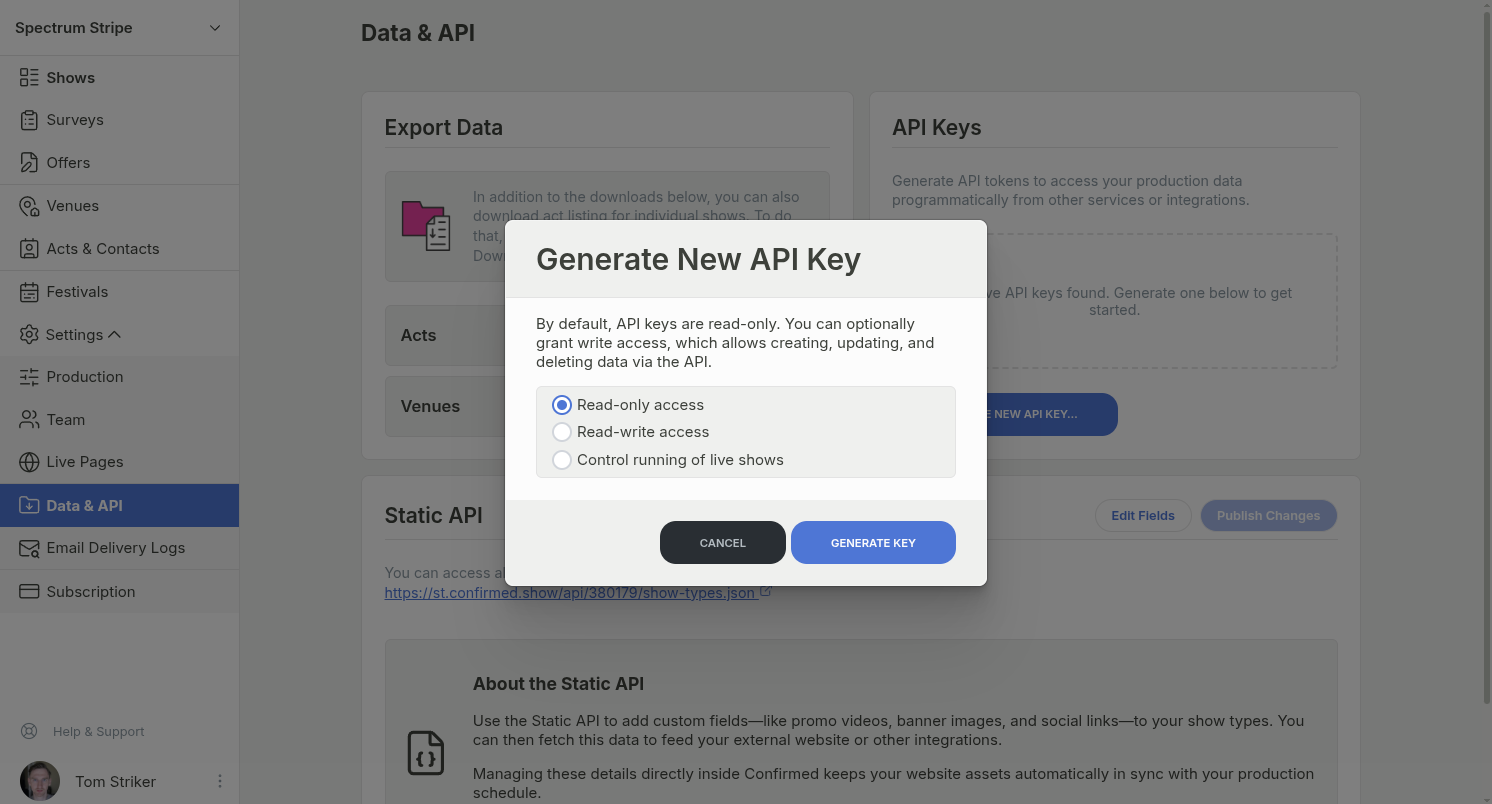
There are three different types of API keys that you can create.
Read-only access — if you don't intend to make any changes through the API, this is the recommended type of key.
Read-write access — in addition to retrieving data, also allows creating new shows (and more in the future
Control running of live shows — these API keys can only be used to trigger next/previous slide when running a show in Showtime.
Note: while there is means to create read-write API keys, currently the API only supports reading. Writing is coming soon.
Generate a new API key
Open Settings > Data & API page for your production.
Under API Keys, click Generate New API Key….
In the Generate New API Key modal, choose a key type.
Read-only access
Read-write access
Control running of live shows
Click Generate Key.
Copy the token from the list. The token text is clickable to copy.
Delete an API key
Open the Data & API page for your production.
Find the token in the API Keys list.
Click the trash button on the token row.
In the Delete API Key confirmation modal, enter
DELETEand confirm.
Deletion is permanent and removes access for any apps or services using that key.