
Show Type Metadata
Retrieve generic information about your show types, as well as provide additional custom meta — promo videos, banner images, social links, ticketing details, and anything else. Fetch it to power your external website or feed other integrations, and keep those assets in sync from inside Confirmed.
How it works
Define your fields. Build a schema that describes the data you want to expose (for example a "Promo video" URL or a "Banner image"). The schema applies to every show type in your production.
Fill in values. For each show type, enter the values for the fields you defined.
Publish. Confirmed writes a fresh JSON file to a public URL. Changes go live the moment you publish — the file is served without caching, so consumers always see the latest version.
Defining metadata fields
To edit the metadata schema, open Settings > Data & API, and in the Static API section click on Edit Fields.
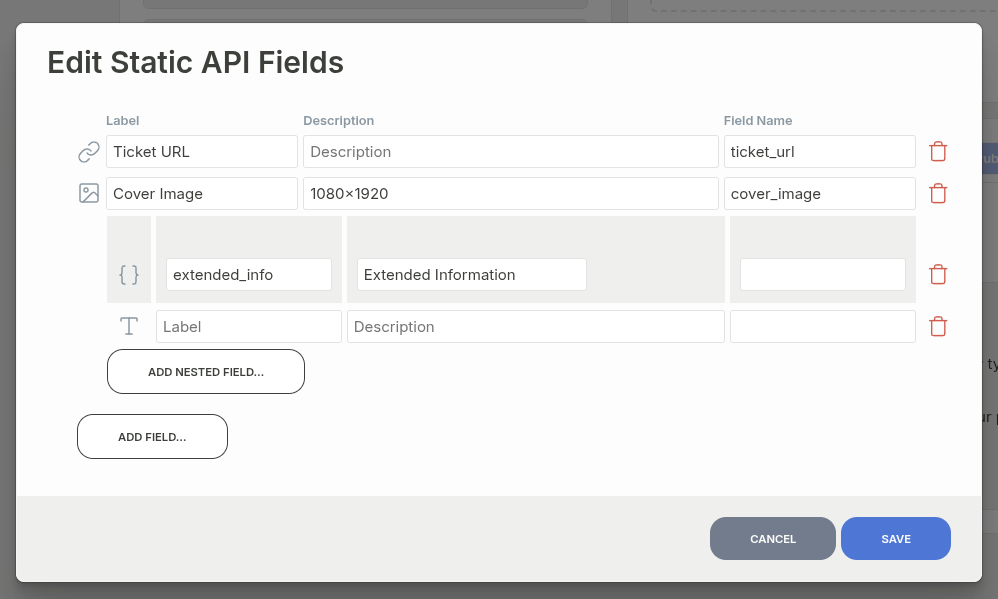
Here you can add any fields that you will then be able to specify for each show type. Standard use cases are ticket URL if the ticketing platform does not support deep-linking to a specific performance (e.g. fringe festivals generally don't), cover image for sharing on socials, and so on.
Each field has a label (shown in Confirmed), an optional description, and a field name — the key used in the meta object of the JSON. If you leave the field name blank, Confirmed derives it from the label in camelCase (for example "Promo video" becomes promoVideo).
Field types
Type | Description |
|---|---|
Short text | A single line of text. |
Long text | Multi-line text. |
URL | A web link. |
Number | A numeric value. |
Boolean | A true/false toggle. |
Image | An uploaded image; the JSON holds its URL. |
Video | An uploaded video; the JSON holds its URL. |
Generic file | Any uploaded file; the JSON holds its URL. |
Show Types Selector | One or more references to other show types in your production. |
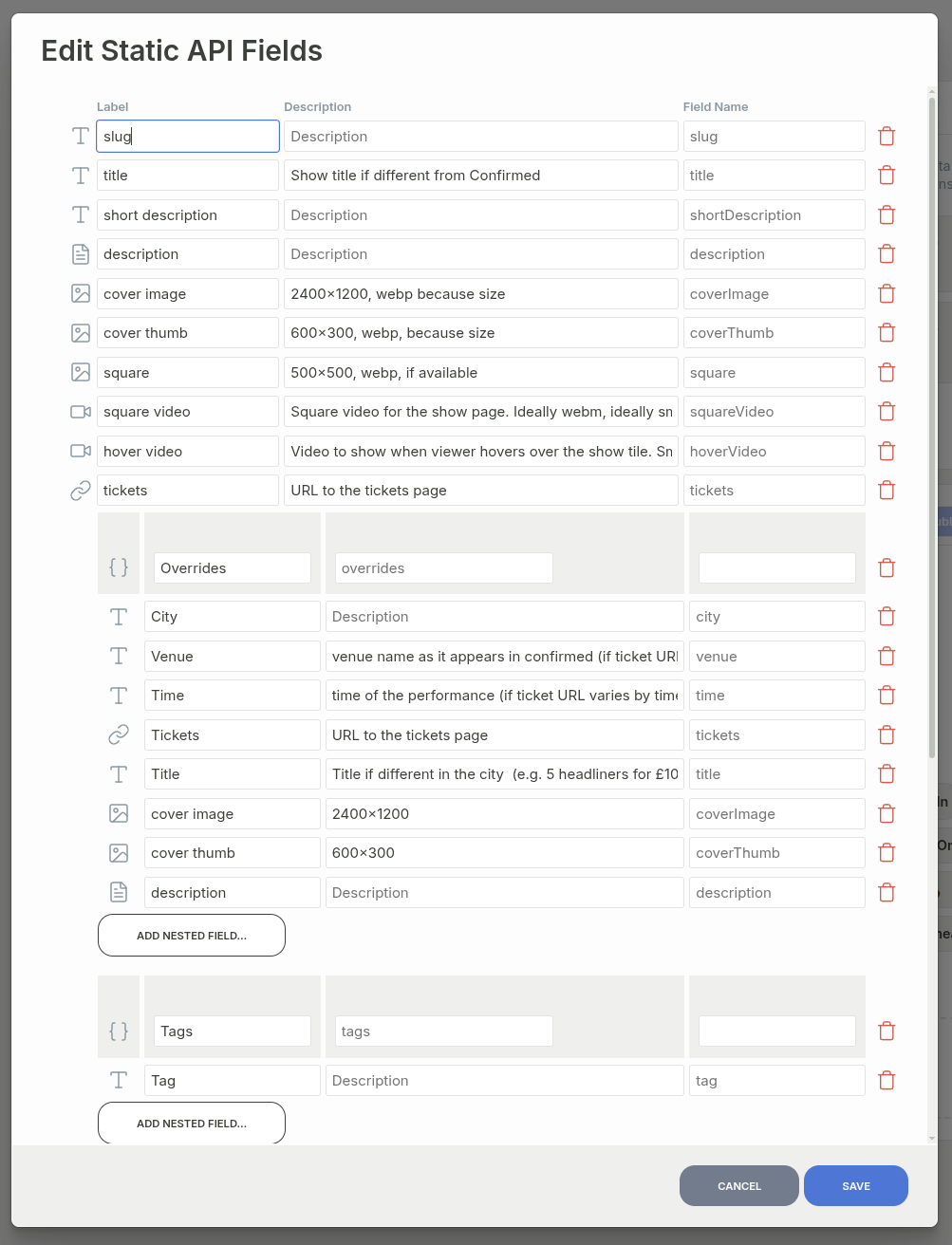
Group | A repeatable set of nested fields — useful for lists like set of ticket tiers. Appears in the JSON as an array of objects. |
Below is an example schema, used to power https://rgb.monster/:
Specifying values for each show type
Once your fields exist, fill in their values in one of two views:
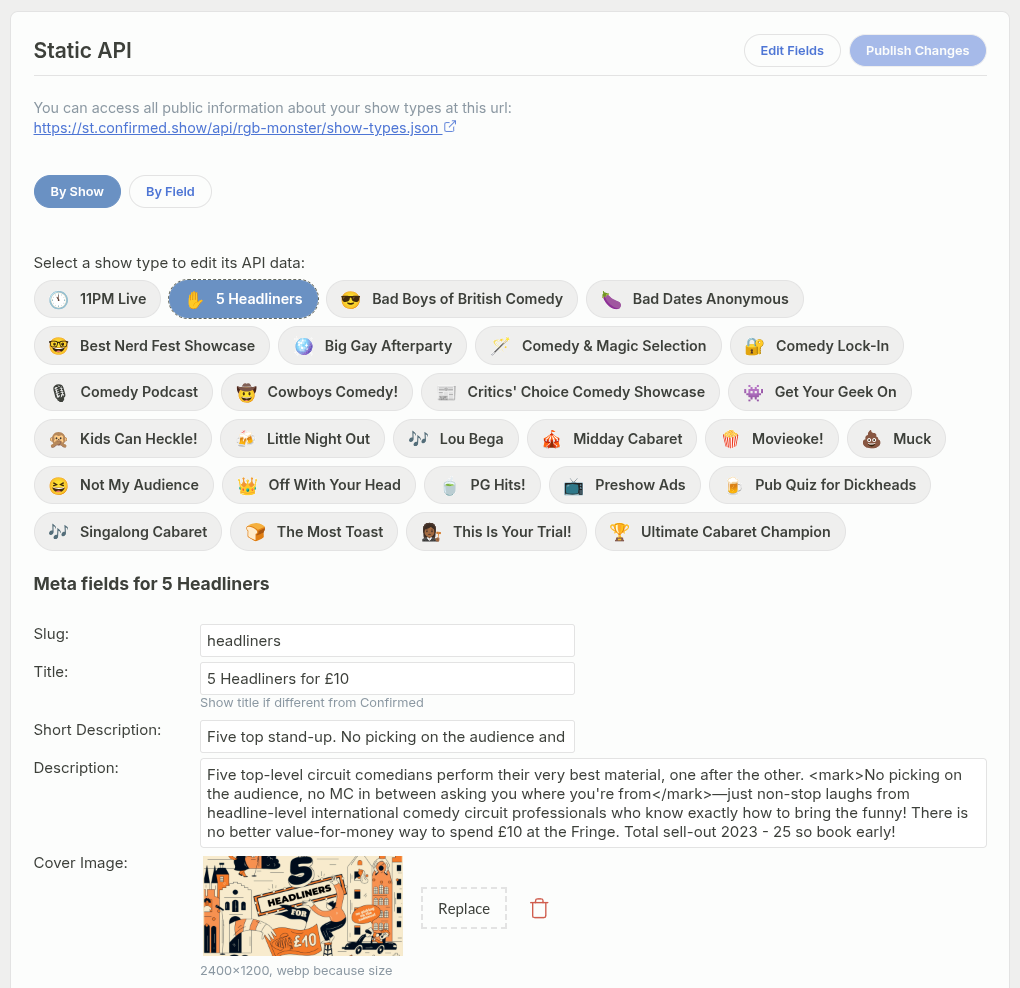
Edit a single show type by clicking on By Show and then choosing one of your show types:
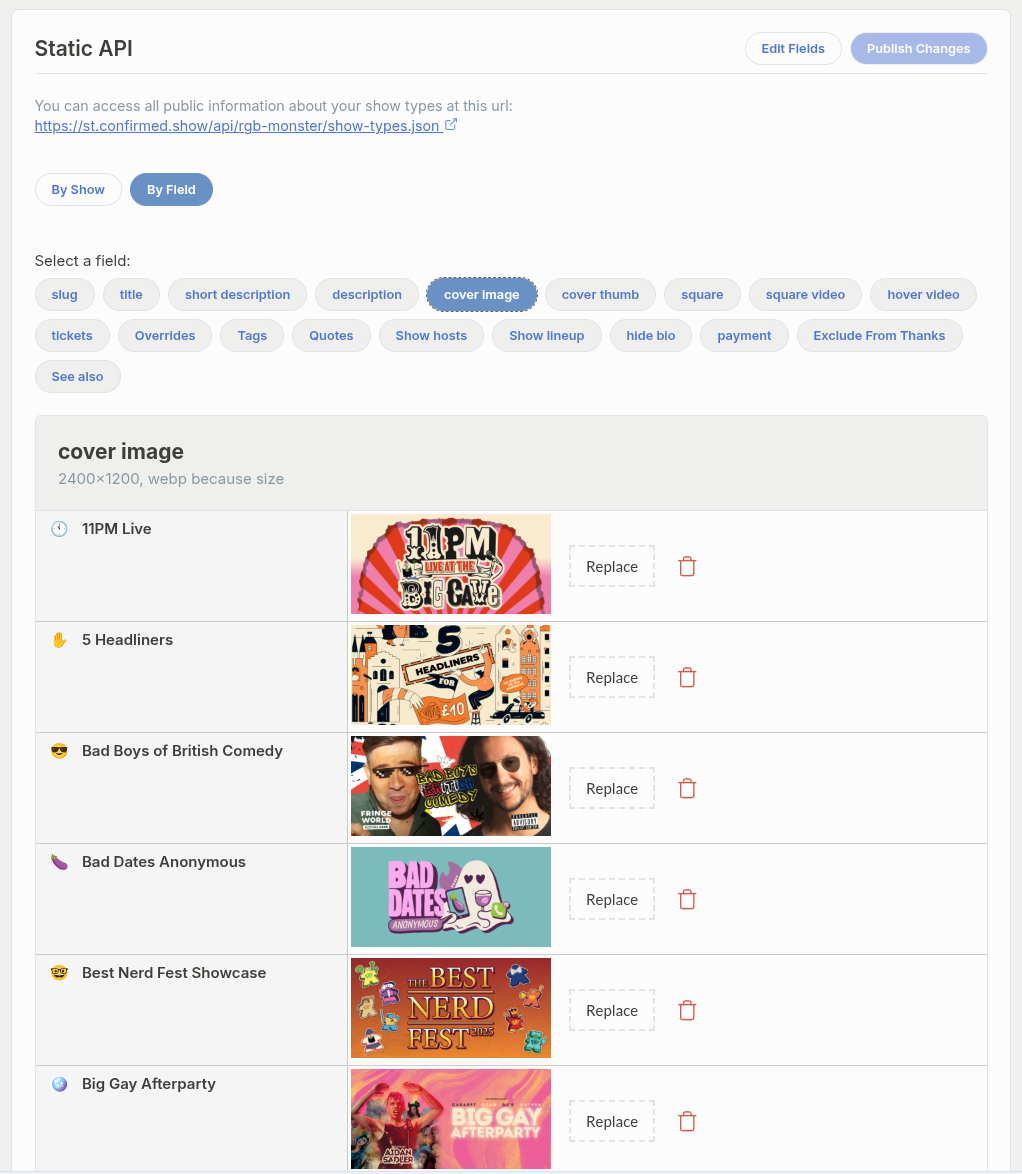
Alternatively, you can click on By Field, and edit a specific field across all show types
Publishing
Edits are saved as you work, but they don't reach the public URL until you click Publish Changes. The button stays disabled when there's nothing new to publish. The file is stored on Confirmed's CDN and distributed globally, so that access to the file most of the time takes under 50ms.
The endpoint
https://st.confirmed.show/api/<your-production>/show-types.jsonThe endpoint accepts GET requests, returns JSON, and is CORS-enabled, so you can fetch it directly from a browser. No API key is required — only public information is included.
Response shape
The endpoint returns an array of show types. Each entry has a fixed set of base fields plus a meta object holding the custom values you defined and filled in.
[
  {
    "id": "abc123",
    "value": "abc123",
    "name": "Friday Night Comedy",
    "description": "Our flagship weekend show",
    "duration": 90,
    "archived": false,
    "meta": {
      "promoVideo": "https://youtube.com/watch?v=...",
      "bannerImage": "https://.../banner.jpg",
      "lineup": [
        {"name": "Jane Doe", "headliner": true},
        {"name": "John Smith", "headliner": false}
      ]
    }
  }
]
Base fields
Field | Description |
|---|---|
| Unique identifier for the show type. |
| Same as |
| The show type's name. |
| The show type's description. |
| Run time in minutes. |
|
|
| Object containing your custom field values, keyed by field name. |
Example: fetching the data
const response = await fetch(
  "https://st.confirmed.show/api/your-production/show-types.json"
);
const showTypes = await response.json();

for (const showType of showTypes) {
  console.log(showType.name, showType.meta.promoVideo);
}